Case study 05 — Carrier investigation workflow
3PL Email Automation
A carrier investigation is a small piece of work wrapped in a lot of administration: find the order, gather the photo and the invoices, write the email, send it, then watch a shared mailbox and hand-copy every reply back to the seller. We automated the wrapper and left the judgement where it belongs.
- Next.js
- TypeScript
- Firestore
- Gmail API
- Multi-language
The problem
Investigations lived across a shared mailbox, a folder of screenshots and someone's memory. There was no reliable way to match an incoming carrier reply to the case it belonged to, and sellers had no visibility, so every status question became another manual lookup.
What we built
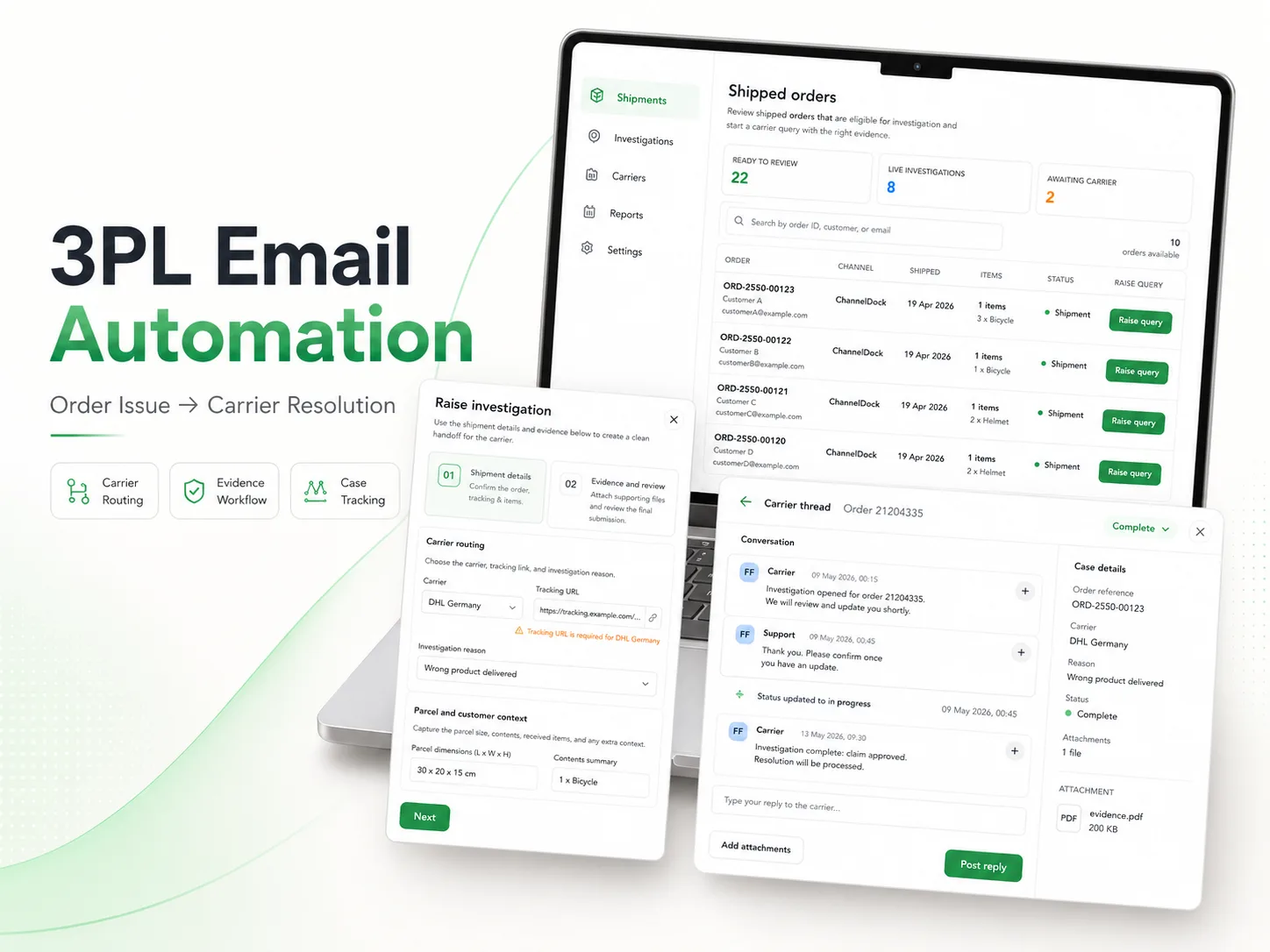
One queue of shipped orders, a two-step wizard that collects shipment details and evidence, automated generation and forwarding of the carrier email, and a thread where the reply lands back against the case. The seller sees the same record throughout.
How it works
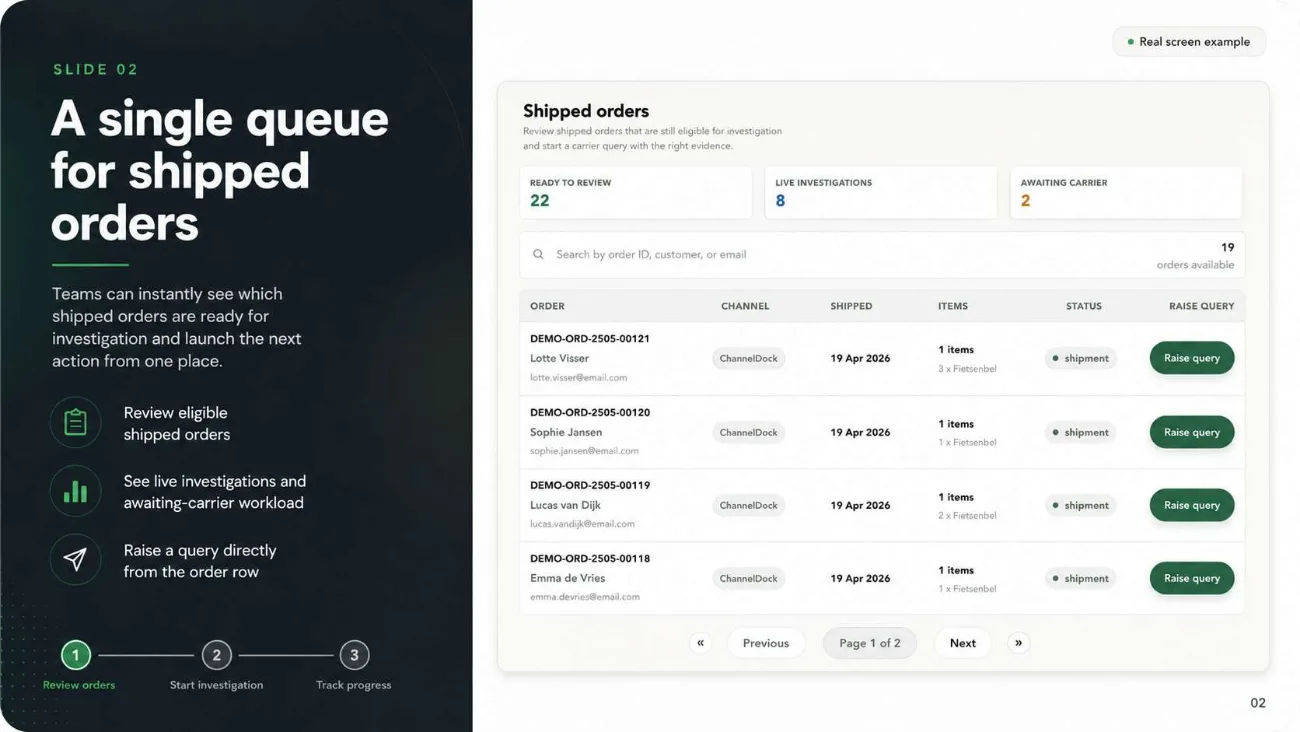
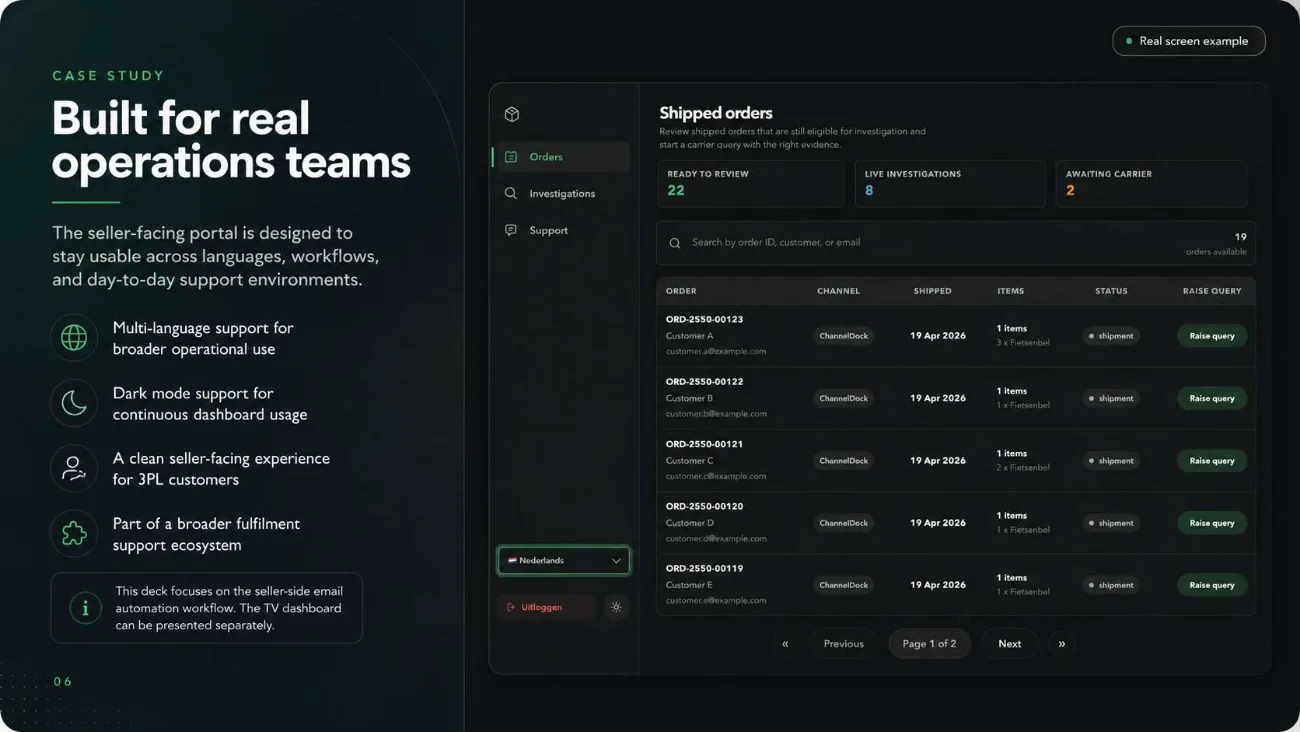
A single queue for shipped orders
Ready to review, live investigations and awaiting carrier are counted at the top of one queue. Orders are searchable by order ID, customer name or email, and a query is raised straight from the row rather than from a separate form.
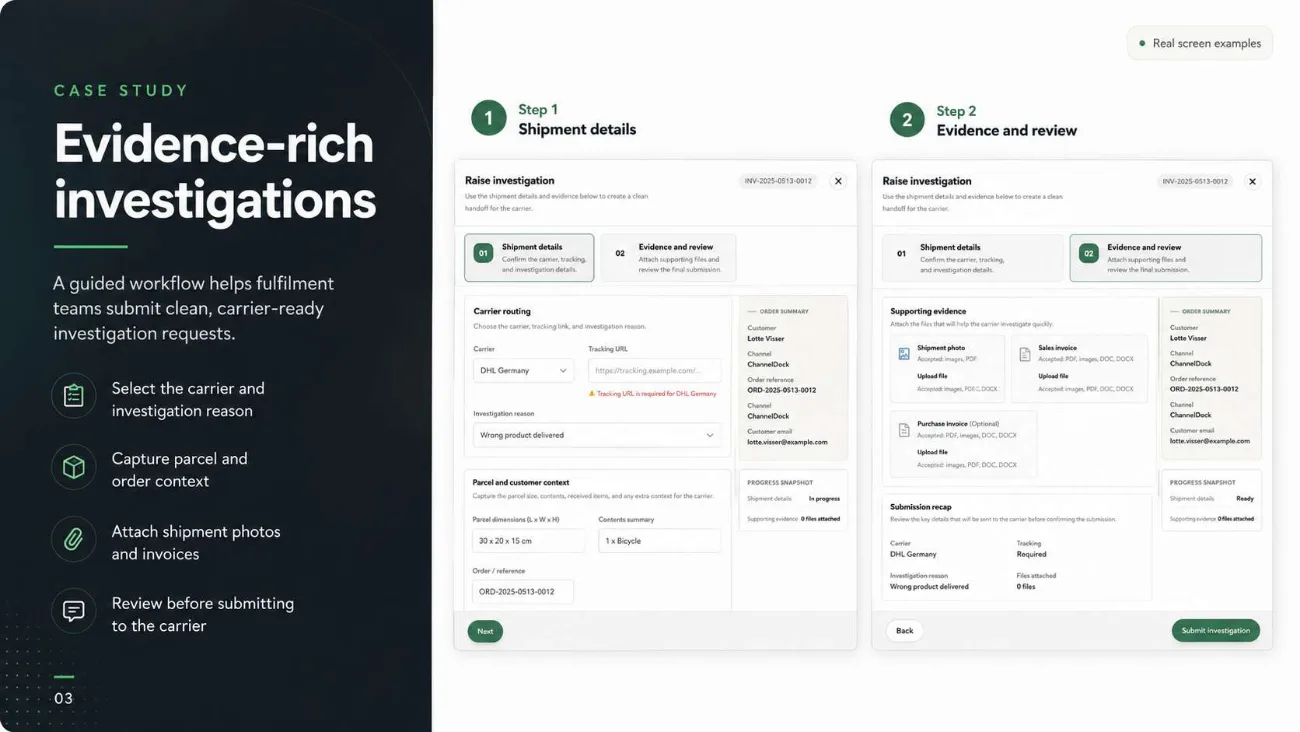
Carrier-specific validation at the point of entry
Step one collects carrier, tracking URL, investigation reason, parcel dimensions, contents summary and order reference, and the tracking URL requirement is validated per carrier, so a case cannot be raised with a reference the carrier will reject.
Evidence attached before the case exists
Step two takes the shipment photo, the sales invoice and an optional purchase invoice, then shows a recap of the whole submission before anything is sent. The case is created complete rather than being chased for attachments afterwards.
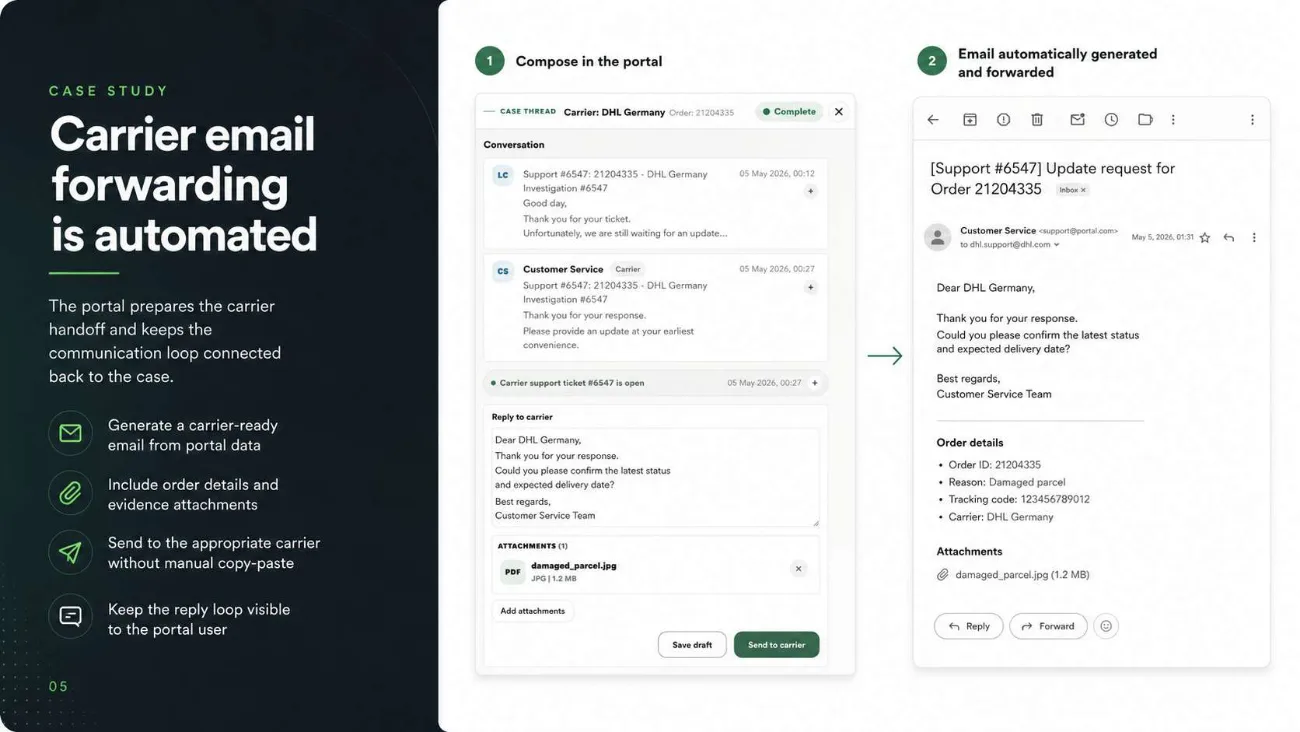
The carrier email generated and forwarded automatically
Composing in the portal produces the carrier email with order ID, reason, tracking code and carrier filled in and the evidence attached. There is no copy-paste step, and the reply loop stays inside the portal instead of in someone's inbox.
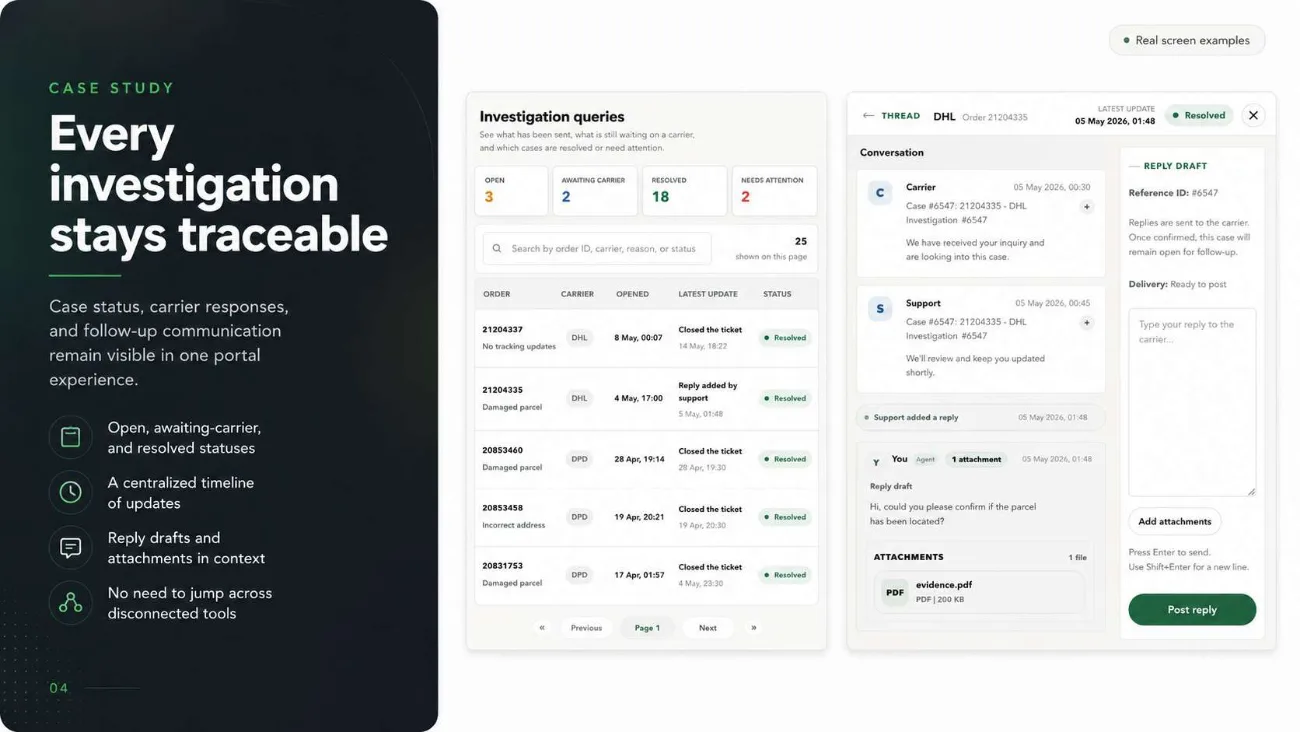
Status that stays legible to everyone
Open, awaiting carrier, resolved and needs-attention are counted across the whole book of work, and each case carries its conversation, its attachments and its reply history in one view.
Built for the floor it runs on
Multi-language throughout, the operations team runs it in Dutch, plus dark mode and a seller-facing portal clean enough to hand to a 3PL's own customers.
In the product
Outcome
A manual support workflow became a structured one: the client reported about 90% less manual email handling. Every investigation carries its evidence, its routing and its full message history, and the seller can see that state without asking anyone. It now runs as part of a broader fulfilment support platform.