Case study 07 — Live operations screen
Warehouse TV Dashboard
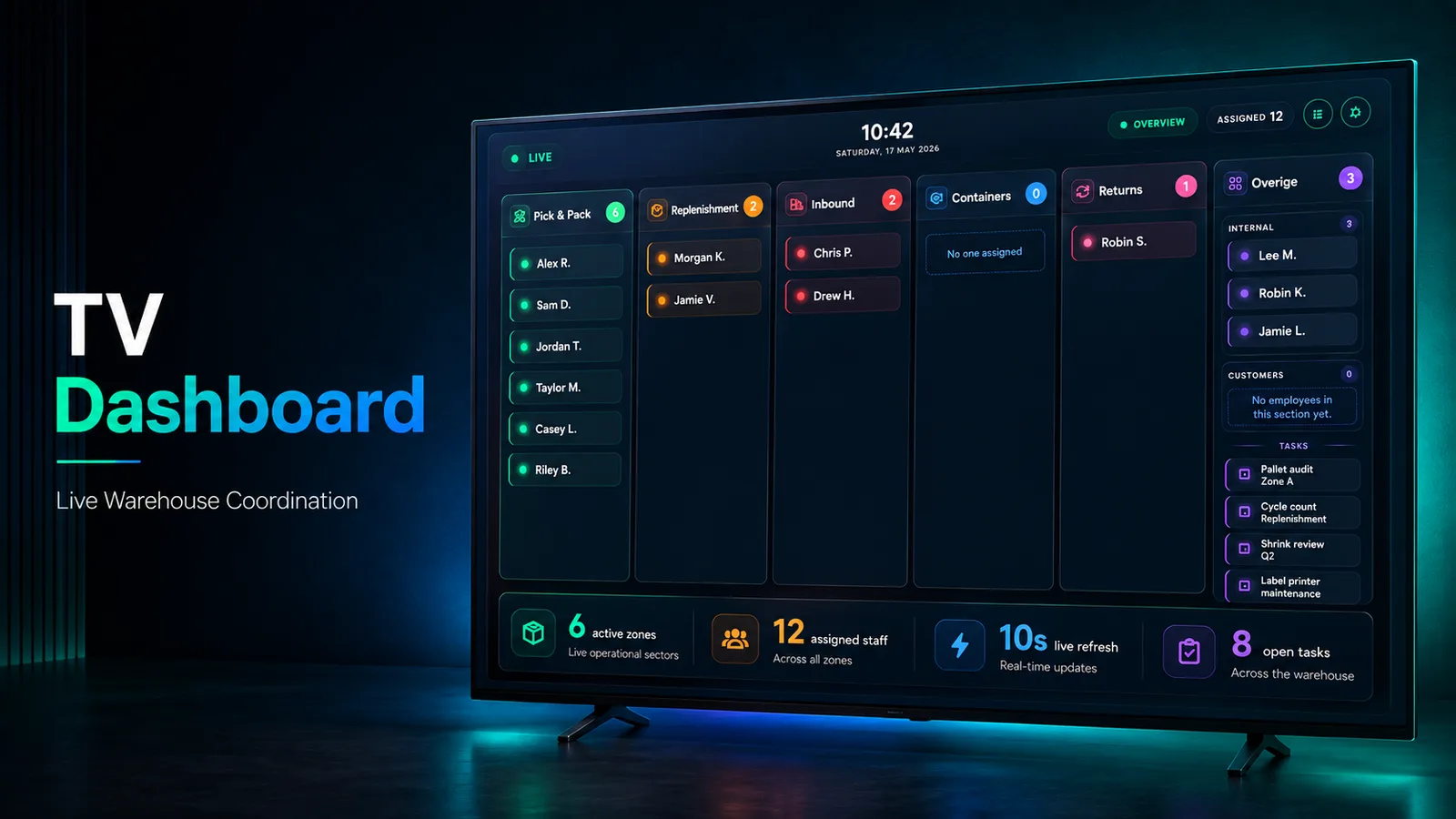
A warehouse floor needs one screen that answers who is working where, right now, readable from across the room, refreshing on its own, and never requiring anyone to touch it. Everything that changes that answer belongs somewhere else entirely.
- Next.js
- React
- TypeScript
- Firestore
- ExcelJS
The problem
Team leads cannot see current staffing without walking the floor. Reassignment happens verbally and does not stick. Task state gets lost, and with it the employee history that reporting depends on, so producing a report means reconstructing the week from memory.
What we built
A public dashboard built for a wall-mounted screen, and a separate admin area for the people who change what it shows. The dashboard carries sector columns, live assignments, task cards and a ten-second refresh. The admin panel handles assignment, employees, completed tasks and export.
How it works
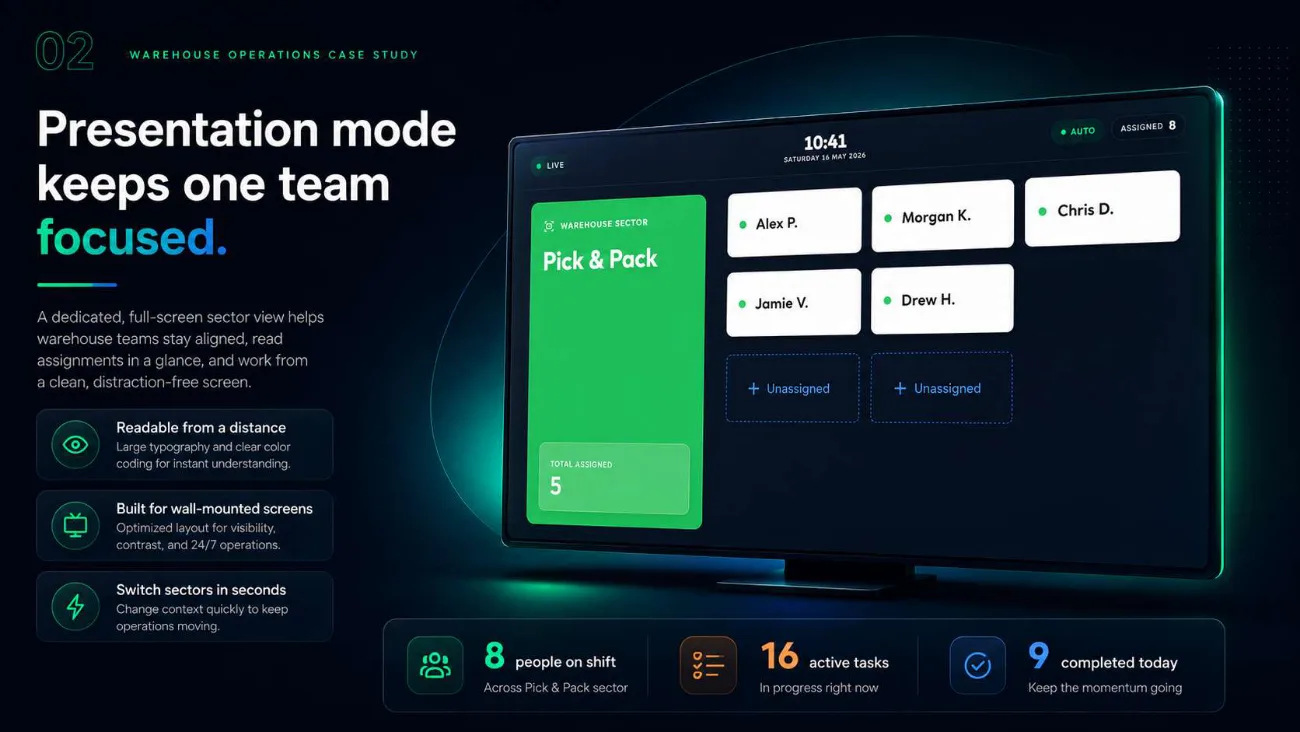
Presentation mode, built for a screen nobody touches
A dedicated full-screen sector view with large typography and clear colour coding, laid out for visibility and contrast on a wall-mounted display running around the clock. Sectors switch in seconds.
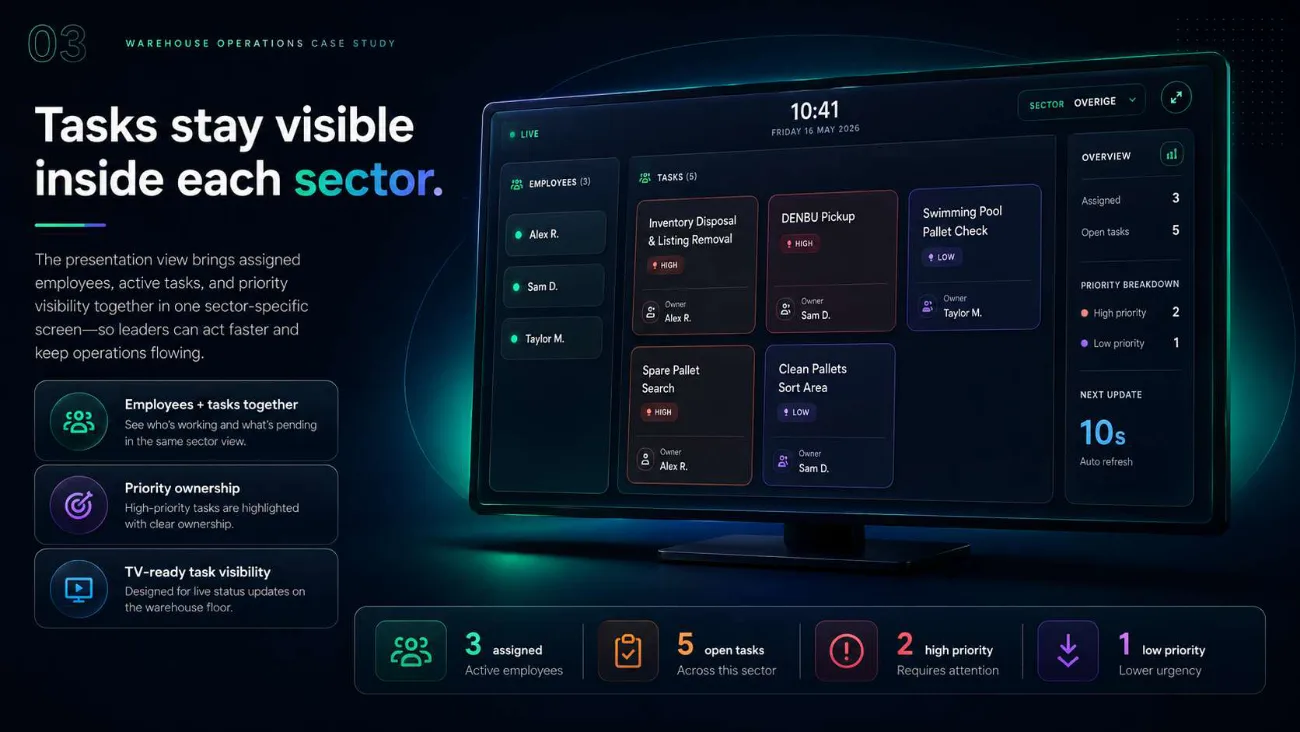
Employees and tasks in the same sector view
Who is working in a sector and what is pending there appear together rather than on separate screens, with high-priority tasks highlighted and their ownership named. The view refreshes itself every ten seconds.
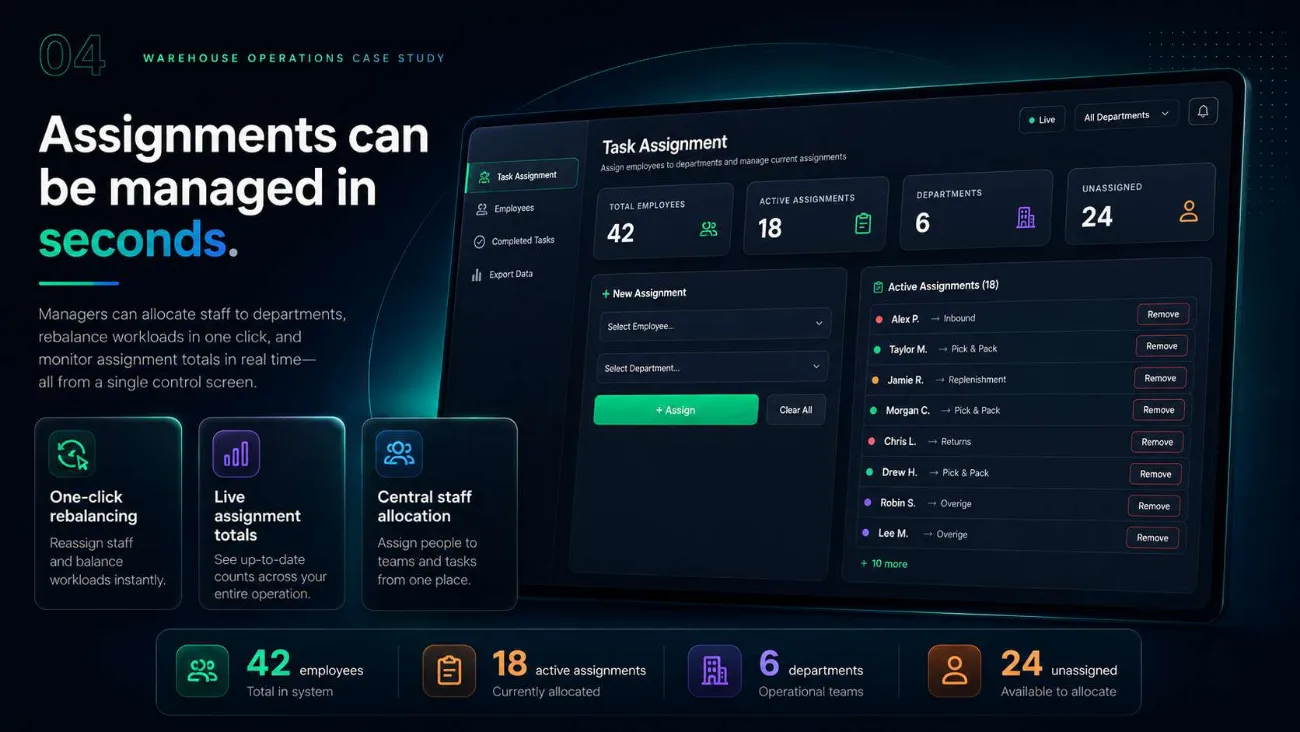
Reassignment in seconds
The admin task assignment screen shows total employees, active assignments, departments and unassigned staff, and allows one-click rebalancing with live assignment totals, so a lead can move people without leaving a single control screen.
Completed work stays auditable
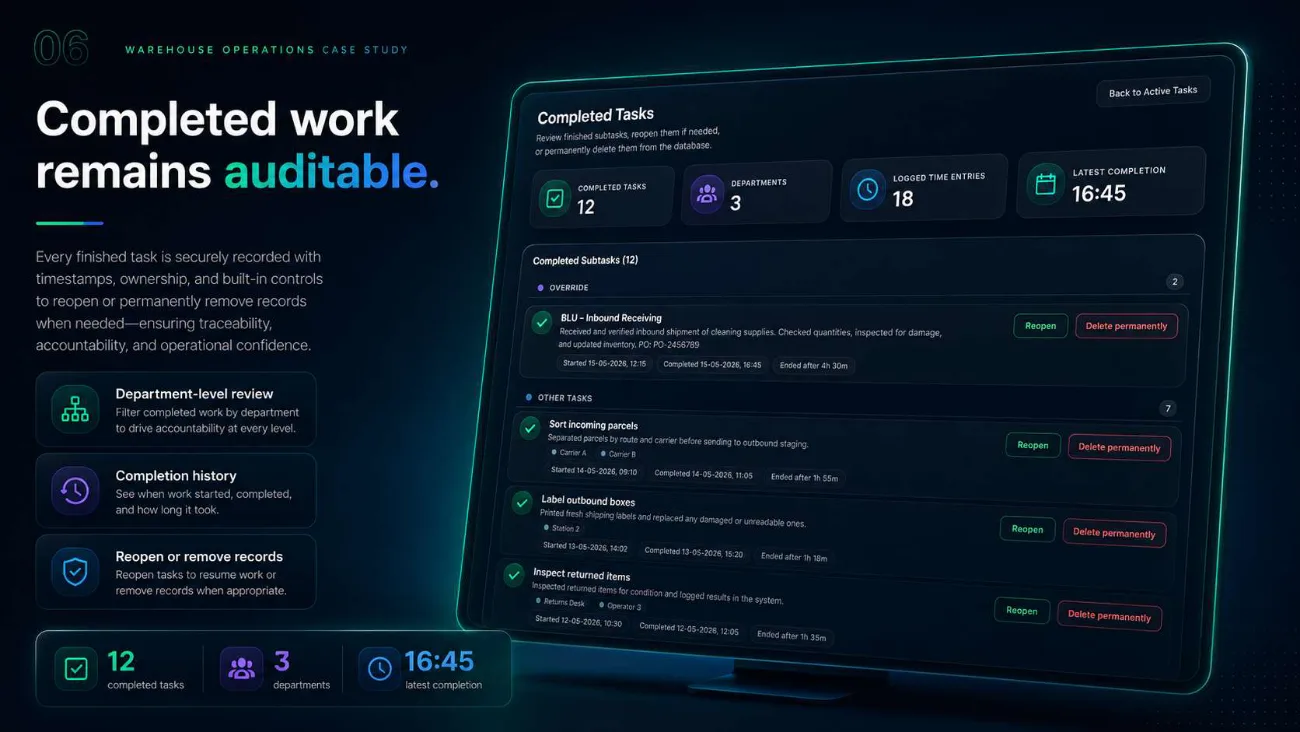
Every finished task keeps its timestamps, ownership and logged time entries, reviewable by department, with completion history showing when work started, when it finished and how long it took. Records can be reopened or permanently removed, deliberately, and by someone accountable.
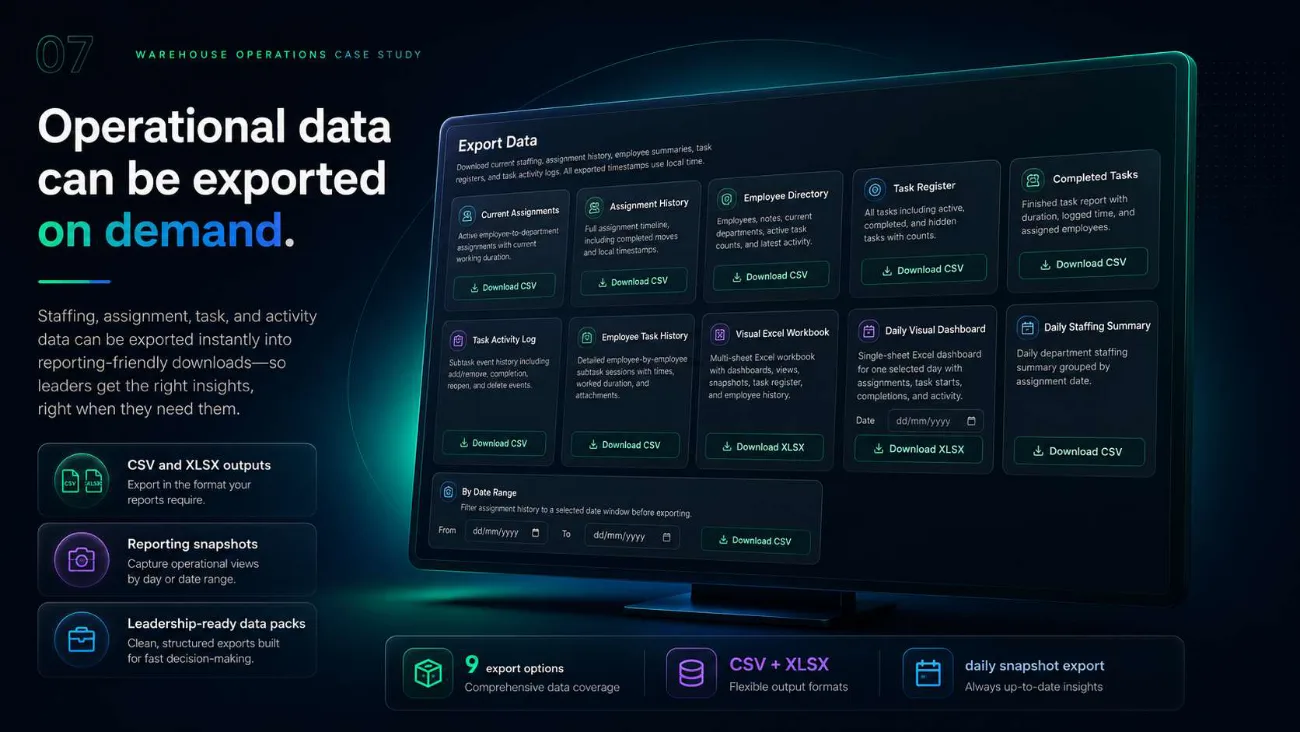
Nine exports, not one
Current assignments, assignment history, employee directory, task register, completed tasks, task activity log, employee task history, a multi-sheet Excel workbook, a daily visual dashboard and a daily staffing summary, as CSV or XLSX, filterable by date range.
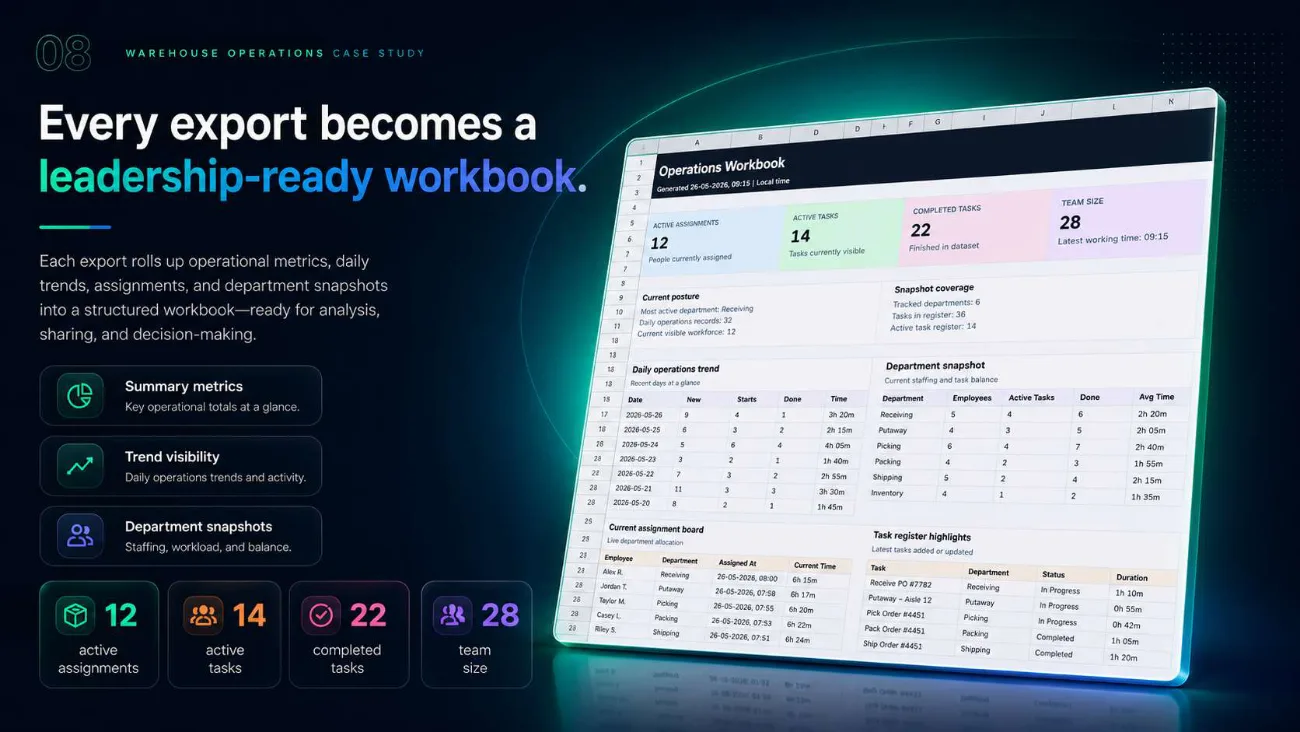
Every export is a leadership-ready workbook
Exports roll summary metrics, the daily operations trend, a department snapshot of staffing and workload, the current assignment board and task register highlights into one structured workbook, so reporting does not require anyone to touch the database.
In the product
Outcome
The floor gets one live screen it can trust, managers get the controls and the history behind it, and reporting comes out as a workbook rather than a database query.